As an Amazon Associate, we earn from qualifying purchases. Some links on this site are affiliate links at no extra cost to you. Our recommendations are based on thorough research and editorial judgment.

Programming LED Lights for Different Times of Day

To program LED lights for different times of day, utilize an Arduino microcontroller along with an RTC module for accurate scheduling. Set color temperatures between 2700K to 6500K to match natural daylight. For instance, use cool blue hues during work hours and warm whites for evenings. Integrate sensors to automate adjustments based on occupancy. Additionally, connect to home automation systems for seamless control. This overview sets the stage for more detailed programming techniques to explore further.
Key Takeaways
- Utilize a Real-Time Clock (RTC) module for accurate scheduling of LED light activations throughout the day.
- Program distinct color and brightness settings using C++ code for different time slots, such as cool blue for daytime and warm white for evenings.
- Implement timers within your smart lighting app to automate on/off schedules according to your daily routine.
- Integrate voice control capabilities with smart assistants like Amazon Alexa or Google Assistant for hands-free adjustments of lighting scenes.
- Use adaptive lighting features to sync with natural daylight and circadian rhythms, enhancing mood and productivity throughout the day.
Understanding Smart Lighting Technology
You may be interested


As users seek greater control over their environment, understanding smart lighting technology becomes essential for maximizing both comfort and efficiency. This technology allows users to automatically adjust brightness and color temperature based on their preferences or environmental cues. Smart lighting systems typically operate within a color temperature range of 2700K to 6500K, simulating natural light cycles throughout the day. Incorporating sensors, such as motion and ambient light detectors, these systems dynamically respond to occupancy and changing light levels. Voice control integration via platforms like Amazon Alexa and Google Assistant enhances convenience, allowing hands-free operation. Users can pre-set schedules to align with their daily routines, optimizing energy consumption. Mastering this technology can lead to improved well-being and enhanced living environments. Modern LED lighting solutions can achieve impressive lifespans exceeding 50,000 hours while maintaining energy efficiency.
Benefits of Automated Lighting Systems
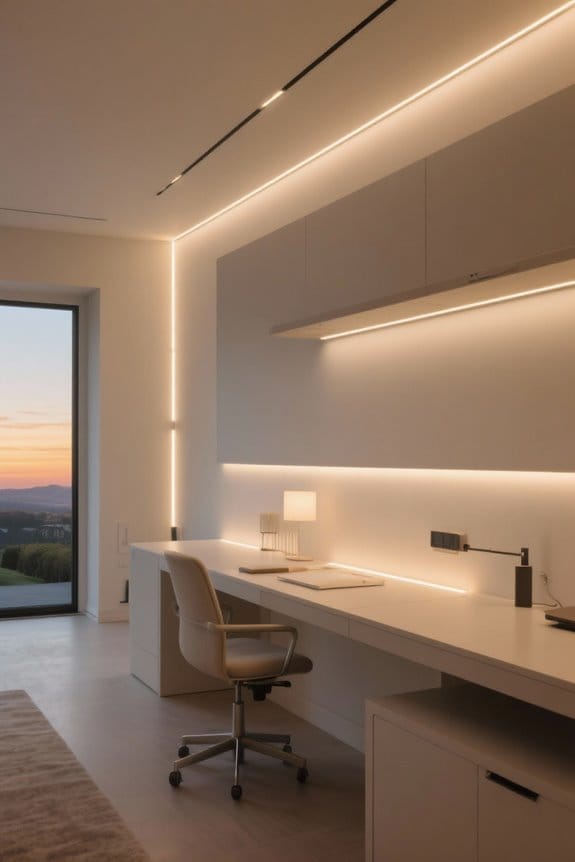
Automated lighting systems offer a range of benefits that enhance both energy efficiency and user experience. These systems can reduce energy consumption by up to 30% by programming lights to turn off when not needed, consequently catering to specific times of day. Schedule lighting to match natural daylight, brightening in the morning and dimming in the evening, can boost mood and productivity. Moreover, they enhance home security by simulating occupancy through scheduled light patterns. Studies indicate that properly timed adjustments promote better sleep quality by providing dim, warm light before bedtime. Additionally, users can effortlessly switch between lighting scenes for work, relaxation, or entertainment, creating the ideal ambiance for various activities at a certain time. Modern LED cabinet lights can achieve up to 70% energy savings compared to traditional fluorescent lighting while offering customizable dimming features for optimal daily programming.
Components Needed for Programming LED Lights
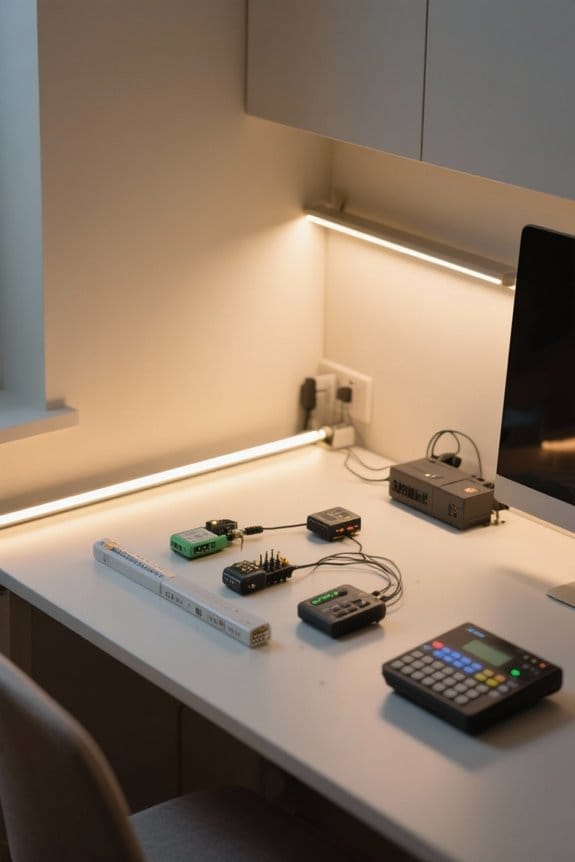
To effectively program LED lights, specific components are essential. An Arduino microcontroller, such as the Arduino UNO, serves as the brain of the operation, controlling LED timings. A Real-Time Clock (RTC) module, like the DS1307 or DS3231, keeps accurate time, facilitating correct scheduling for LED activation. For varied colors and brightness, utilize specific LED strips like the WS2812B RGB 5050SMD. Additionally, advanced programming libraries such as FastLED and TimeAlarms enhance performance and simplify coding. A suitable power supply is necessary, providing a consistent voltage and current to meet the LED strips’ requirements, typically around 5 volts and from 1 to 3 amps, depending on the length and type of LED strip. Proper power management prevents component damage. When selecting LED strips, aim for products offering 500 to 1700 lumens to ensure optimal brightness for your programming needs.
Recommended Products

Fully addressable (each LED can have it's own color and brightness), 256 brightness display and full 24-bit color display

ELEGOO UNO R3 Project Most Complete Starter Kit with Tutorial Compatible with Arduino IDE (63 Items)
More than 200 components, this is the most complete ELEGOO UNO R3 starter kit you will find. Great value starter kit with 63 kinds of products

Unleash Your Inner Maker with Our Upgraded Sensor Modules Kit - Packed with 37 essential components for your arduino projects
Setting Up Your Smart Lighting App
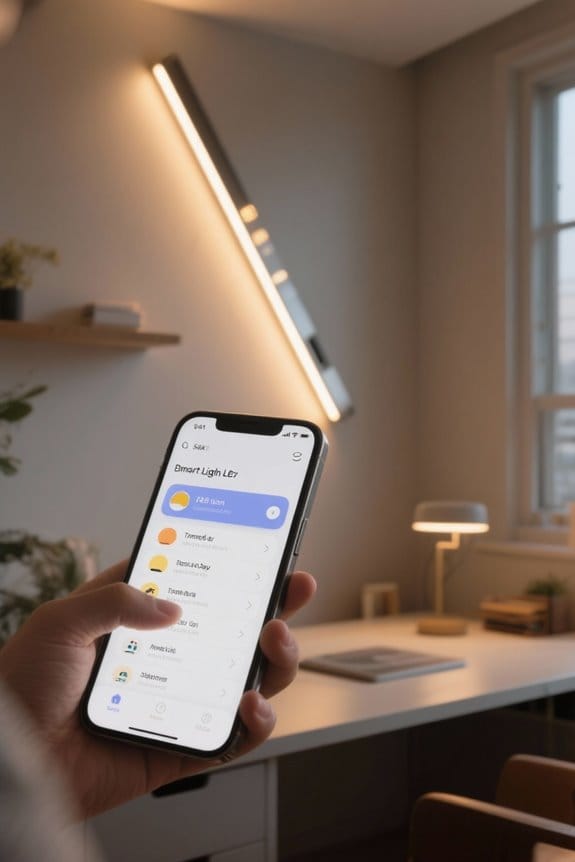
Setting up a smart lighting app requires a systematic approach to guarantee peak functionality and user satisfaction. Begin by downloading the app compatible with your smart home devices. Confirm all devices are connected to the same Wi-Fi network. Use the intuitive interface to create preferred lighting scenes; consider customizing colors and brightness levels for various activities, such as reading or entertaining. Set timers to automate turning lights on or off at designated times, enhancing convenience and energy efficiency. Pay attention to compatibility with voice assistants for seamless operation, checking device specifications beforehand. Finally, utilize real-time control options through your mobile device, allowing for instant adjustments, even when away from home. This level of management ensures a tailored lighting experience. Many smart under cabinet lights offer color temperatures ranging from warm 2700K to cool 6000K, allowing you to match your lighting to different times of day.
Recommended Products

Commercial-Grade Airflow: Six 72" aluminum blades with a 27° pitch deliver a massive 12,705 CFM, cooling patios, outdoor kitchens, and covered decks with powerful circulation
APPEARANCE: The Sideline electric fireplace is designed for recessed in-wall mounting. Creating a cozy atmosphere of a traditional fireplace, this electronic fireplace has realistic flames with a real fire look. The Sideline’s 5 flame settings radiate a soft ember glow up to an intense blaze. Sideline gives you the total package. Control the heat and flame with the remote control. Designed to use one log or crystal, if you prefer you can mix both safely.

【Modern Large Villa Crystal Chandelier】Specification:Ceiling plate diamater is 59".Total length of wire is 120".The height cannot be adjusted.
Creating a Daily Lighting Schedule
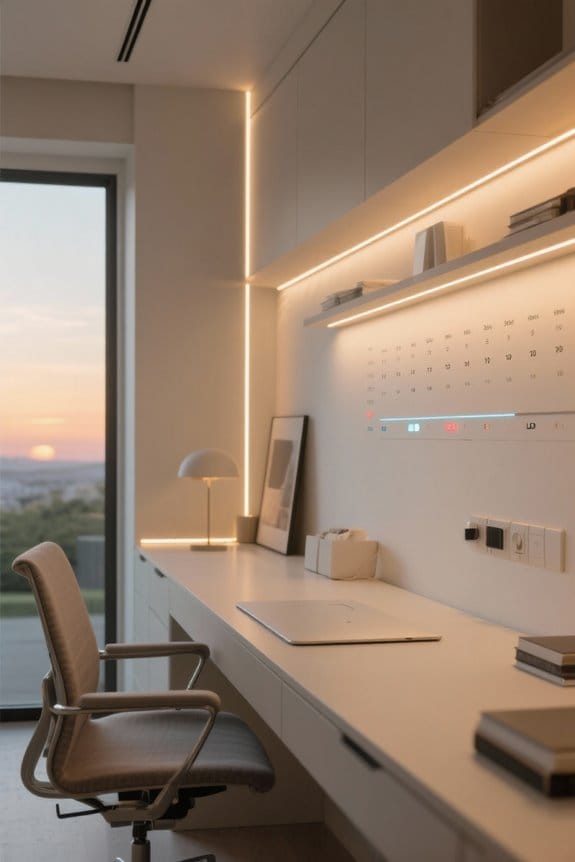
Creating a daily lighting schedule optimizes the functionality of smart lighting systems, ensuring they align with individual lifestyles. To effectively implement this, users must first set the RTC (Real-Time Clock) to maintain accurate timekeeping. Utilizing microcontrollers like Arduino, they can program specific time slots for automatically switching lights on and off. Code written in programming languages such as C++ defines the lighting conditions, encompassing colors and brightness levels suitable for different periods. Libraries like Time.h and TimeAlarms.h support the management of multiple alarms for the desired scheduling. By crafting a schedule that includes cool blue lights during work hours and warm white tones in the evening, users enhance comfort and energy efficiency within their environments. The RGBIC technology enables displaying multiple colors simultaneously across different zones, allowing for more sophisticated daily lighting transitions.
Recommended Products
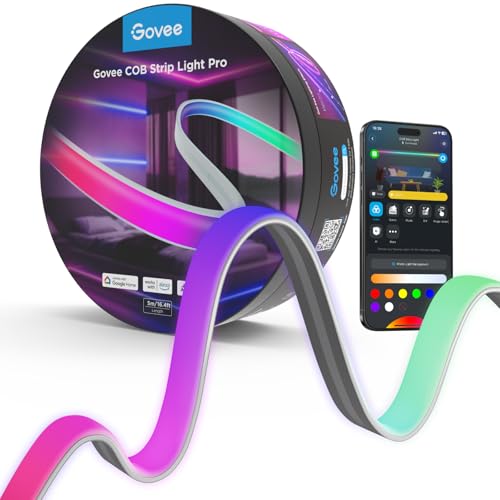
Next-Gen COB Technology: Govee LED strip lights are crafted with integrated packaging technology and 1260 LEDs/m, translating innovative tech into brighter, smoother, fluid lighting effects, can be used as supplementary lighting.

Smart and Easy Control: Adjust brightness, scene modes, timers, and color temperature in Govee Home App via Wi-Fi and Bluetooth. This Govee LED lighting strip can also be voice-controlled after pairing with Alexa, Google Assistant or Matter.

Softer Material: Our new Neon Rope Light features a 14% more flexible, softer material than its predecessor, with a compact design and lighter weight for effortless Home decorating.
Customizing Lighting Scenes for Different Times
Effective customization of lighting scenes greatly enhances daily routines by aligning light with specific activities and times of day. This process typically involves setting bright, cool blue light during work hours to boost productivity, while shifting to warm white light in the evening promotes relaxation. Programmers should use tools like programmable controllers and timers, allowing for smooth shifts according to pre-defined schedules. To sync with natural circadian rhythms, dim evening lights gradually and increase morning brightness incrementally. Leveraging libraries such as FastLED enables precise RGB LED control, accommodating dynamic color changes. Additionally, automation apps simplify scheduling, allowing users to customize lighting scenes effortlessly to influence mood and boost well-being throughout the day. With adjustable color temperatures ranging from warm white 2700K to cool white 6500K, users can create the perfect ambiance for any time of day.
Recommended Products
【L-Shape Design】61" wide surface plus 20" extension, big enough for 3 or more monitors and other accessories; Fit in a corner to maximize the space of your home office or gaming setup.

No Modification Required: Instantly upgrade the look of your Jeep Wrangler JK, JL, or Gladiator JT with our Atomix LED strips—no modifications required.

450W PEAK POWER WITH 10 MARINE-GRADE SPEAKERS: Class D integrated amplifier driving end-loaded woofers and front-firing tweeters. Auto-pair Bluetooth, AUX input and output, USB port for thumb drive playback, mobile charging, and compatibility with the optional BPB-DBC-G2 Wireless Dashboard Controller for in-vehicle control.
Adjusting Brightness and Color Temperature
When adjusting brightness and color temperature, it is essential to understand that these factors greatly influence mood and productivity. For instance, at 14:00, using cool blue light at maximum brightness enhances alertness and focus. Shifting to warm white light around 20:00, with reduced brightness, fosters a relaxing ambiance to help with winding down. By 22:00, setting red light to a lower brightness level of 79 prepares the body for sleep. Utilizing programmable systems, such as timers or smart apps, can automate these adjustments effectively. By doing so, I’m trying to create an environment conducive to daily routines. Incorporating these strategies improves overall well-being and enhances daily performance through thoughtful lighting arrangements. Modern CCT LED strips offer tunable color temperatures between 2700K and 6500K, making them perfect for customizing light throughout the day.
Integration With Home Automation Systems
As individuals seek to enhance their living spaces, understanding the integration of LED lights with home automation systems becomes essential. Home automation can control LED lighting based on time schedules, creating a more efficient environment. If you’re looking to streamline your daily routine, integrating with platforms like Google Home or Amazon Alexa provides voice command capabilities. Systems using Zigbee, Z-Wave, or Wi-Fi allow seamless communication. Consider programming LED lights to adjust brightness and color temperature dynamically throughout the day, promoting well-being. Implement sensors and timers to trigger specific lighting scenes based on occupancy or time of day. This adaptation not only enhances security but also creates dynamic atmospheres suitable for various activities. For optimal safety and performance, select LED systems that operate within heat resistant ranges of -103 to 257°F to prevent damage to wiring and components.
Recommended Products

Product 1: WHAT’S IN THE BOX - Includes one black Hue Signe Gradient floor lamp with White and Color Ambiance smart, color-changing bulbs; Perfect for accent lighting in the living room or bedroom

WHAT'S IN THE BOX - Includes six White and Color Ambiance color-changing 5/6 slim downlight; Perfect for extending smart LED lighting to narrow hallways or rooms with low ceilings.

Smart Recessed Lighting: Our smart recessed lights are compatible with Alexa, Google Assistant, and Siri voice control. You can easily adjust the color temperature from 2700K to 6500K and the brightness from 10% to 100% with just a simple voice command.
Troubleshooting Common Issues
Troubleshooting common issues with LED lights is essential for maintaining peak functionality and performance. First, verify that the wiring connections to the designated digital pins on the Arduino are correct; improper connections can prevent activation. Next, ascertain alarm functions are accurately defined within the code, specifying times and days for proper scheduling. Check the number of defined alarms against the TimeAlarms library‘s maximum limit; exceeding this could inhibit alarm triggers. Utilize the Serial Monitor to confirm alarms activate as expected, adjusting the baud rate if unusual characters appear. Additionally, consider employing Alarm.alarmOnce for specific scheduling needs, simplifying the alarm setup and reducing potential complications during troubleshooting. Effective monitoring leads to improved performance and reliability. Consider integrating motion sensor features to enhance functionality and automatically adjust lighting based on detected movement within a 10-foot range.
Advanced Features for Enhanced Control
An array of advanced features markedly enhances control over LED lighting systems, offering users greater flexibility and customization. Implementing an adaptive lighting control system can synchronize LED strip functionality with circadian rhythms, allowing brightness and color temperature adjustments throughout the day. Advanced programming techniques like dynamic interpolation facilitate smooth shifts between settings, promoting user comfort. In addition, integrating external sensors such as light or motion detectors enables automatic adjustments based on real-time environmental conditions. Utilizing home automation platforms like Node-RED provides robust scheduling capabilities, letting users define complex routines. Voice control compatibility and app integrations grant seamless remote access, ensuring users can easily customize their LED lighting experiences. Embrace these modern features to elevate your lighting management. The latest motion sensor technology activates within 4 inches to provide precise and responsive illumination control.
Real-life Applications of Automated Lighting
Automated lighting systems have transformed various environments, offering practical applications that enhance functionality and efficiency. In residential settings, lights can adjust from bright, cool tones at 6 AM to warm hues by 8 PM, fostering better sleep quality. During commercial hours, stores often spotlight select products when foot traffic peaks, considerably reducing energy usage during quieter times. Research indicates that dynamic lighting aligns with circadian rhythms, improving mood and cognitive performance in workplaces and classrooms. Consider integrating features that simulate occupancy, activating lights during expected home hours to deter intruders. As more individuals adopt these systems, asking, “How can I optimize my lighting schedule?” becomes increasingly relevant. Explore the multitude of benefits for both residential and commercial environments.
Frequently Asked Questions
What Are the Lights That Change With Time of Day?
Circadian rhythm lights adjust their color and brightness throughout the day, mimicking natural light. These systems help enhance alertness in the morning with cooler tones, while promoting relaxation in the evening using warmer hues.
Can LED Lights Be Programmed?
LED automation can be programmed with astonishing precision. Users can orchestrate intricate lighting schedules, seamlessly shifting colors and brightness to ignite any mood, while transforming spaces into mesmerizing domains of illumination tailored for every moment.
How to Make a Light Turn on at a Certain Time?
To make a light turn on at a certain time, one can utilize light automation techniques, employing a real-time clock module and coding methods to schedule activation, ensuring correct wiring for successful control and operation.
Can You Do Multiple LED Light Therapy at the Same Time?
Yes, multiple LED light therapy sessions can be conducted simultaneously, provided they are compatible with a therapy combination. Monitoring skin reactions and following professional recommendations guarantees safety and maximizes the effectiveness of the treatments.